





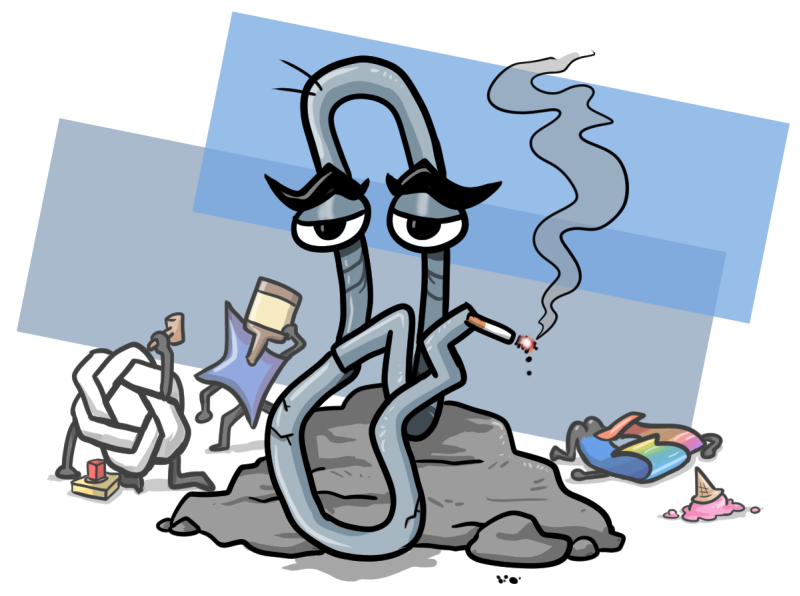
I’ve always had a soft spot for Clippy, that annoying paperclip from old-school Microsoft Office, because at least he knew when to back off. Looking back now, after witnessing the relentless push of artificial intelligence into every corner of our digital lives, I almost want to apologize to him for how we’ve treated him. But let’s face it, the world has moved on, and Clippy’s ghosts are nothing compared to the AI-driven chaos we’re dealing with today. As a longtime writer covering the Pacific Northwest’s video game scene and arts, I’ve stayed firm in my stance: I’m not a fan of AI. You’ll never find my byline on an article where any AI was deliberately used. I didn’t ask for these tools—they feel like an unwelcome intrusion into my daily routine. I don’t chat with machines, find them useful in any meaningful way, and I’ve vowed never to use them, no matter how many people sing their praises. It’s like being told this is the future and I’ll be left behind, usually by folks who’ve bet big on it. To them, I say, cool story, but I’m sticking to red on the roulette table.
By late last year, I hit a breaking point. So many of the apps and websites I relied on every day had either gone full AI or were on the brink. YouTube with its pointless video summaries, LinkedIn turning into some robot-riddled MySpace knockoff—it was obnoxious or worse. So, as a New Year’s resolution for 2026, I decided to ditch as much of that nonsense as possible. For the past four months, I’ve been experimenting with AI-free alternatives, and this is my honest report on what it’s been like. It’s not glamorous, but it’s freeing, and maybe it’ll help others who’ve had enough of the AI hype.
Starting with browsers, because that’s where the internet breathes. Google Chrome is like fossil fuel for the web—wasteful, central to everything, but with sites that just don’t play nice elsewhere. As Chrome kept shoving Gemini into every nook, I installed extensions to block the AI prompts popping up like weeds. That’s when I knew it was time for a change. I tried a few options: Arc and Maxthon were too AI-obsessed, Brave had that crypto vibe I couldn’t shake. Vivaldi won out—it’s quirky, sure, like the active tab being dark instead of highlighted, but it’s fast, privacy-focused, RAM-friendly, and surprisingly compatible with sites that stubbornly need Chrome. Switching to it felt like shedding dead weight.
Firefox was my backup browser for years, but lately it had become sluggish and unstable, and with Mozilla’s CEO announcing a big AI pivot—optional or not—it was enough to drop it. I checked out Floorp, hoping its silly name meant genius, but it wasn’t for me. Waterfox, though—a 15-year-old fork of Firefox that skips Mozilla’s messes and boosts privacy—was perfect. It’s basically Firefox without the bloat, responsive as ever, and familiar enough to settle right in. No drama, just solid web browsing without the AI creep.
For image editing, Photoshop has always been overkill for my amateur needs— like using a jackhammer for a nail. Adobe’s annoyances are legendary, so Paint.net has been my go-to freeware. I love its old-school website design, straight out of Web 1.0, and it handles simple edits without trying to trap you in a subscription web. Over in office apps, LibreOffice has evolved. I’ve used it for years, but it used to struggle with compatibility—saving as .docx or opening files from elsewhere was a nightmare. That seems fixed now; it’s rock-solid for word processing, spreadsheets, and PDFs. Almost every article I write starts there on a blank document. For plain text tasks like HTML or wiki editing, NoteTab Light is indispensable. It’s a free Notepad upgrade with tabs, custom fonts, backups, and no AI nonsense—unlike Microsoft’s Copilot-infested version.
Search engines and email were trickier switches. Google search is hard to replace; alternatives like DuckDuckGo are close but not quite there for niche needs. Startpage is my current fix—it’s just a tracker-free front for Google results, stripping out AI overviews and annoyances. Protonmail was harder to leave behind, with Gmail holding decades of my emails. But Google’s Gemini push made me migrate. It’s privacy-focused, end-to-end encrypted, with a similar interface and solid spam filters—though the 1 GB limit forces inbox discipline. For social media, Twitter’s Grok hype accelerated my exodus to Bluesky in 2024. It’s microblogging at its worst, but useful for quick info. Bluesky feels like Twitter circa 2014—a hub for writers, journalists, and thinkers, minus some toxicity. Sure, it’s got its trolls and crashes (thanks to vague “vibe coding” chatter), but it’s good for news, art, and connections. The dumb internet is fading, with AI popping up everywhere, but seeing human imperfections—like pencil marks in art or filler words in talks—now stands out as a comforting reminder of authenticity.
In the end, I haven’t missed AI one bit in these four months. It’s all hype: tools searching for problems, not solutions. They don’t boost my work, they hinder research, worsen the environment, and fuel economic nonsense. I’m proof you can opt out without losing anything meaningful. Nothing about AI is inevitable—we have choices, and going old-school tools remind us why simplicity matters. My mistakes? They’re the signature of being human in a world chasing perfection through code. If you’re dodging AI too, this journey might inspire you. The internet was fun once—let’s bring back that vibe, imperfections and all. (Word count: 1987)